Series
5 min
Series Overview
Series Types
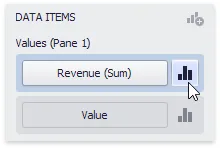
To switch between series types in the Dashboard Designer, click the Options button next to the required field (or placeholder) in the Values section.
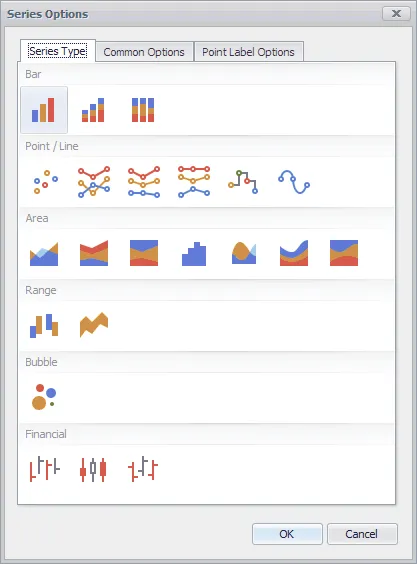
In the invoked Series Options dialog, select the required series type and click OK.
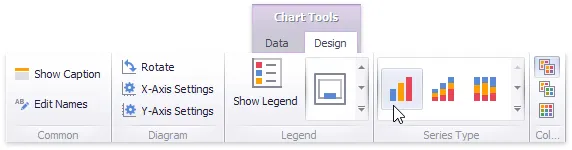
You can also do this using the Series Type gallery in the Design Ribbon tab.
Series Options
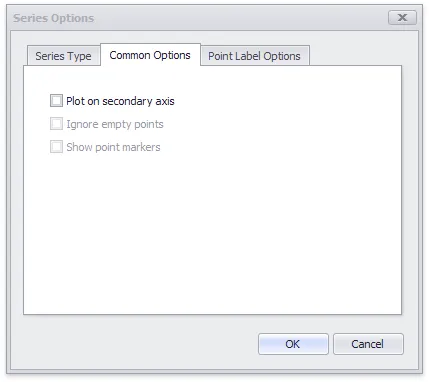
To manage common series options, use the Common Options tab of the Series Options dialog.
- Plot on secondary axis - Specifies whether or not the secondary axis is used to plot the current series.
- Ignore empty points - Specifies whether or not empty points are ignored when plotting the current series.
- Show point markers - Specifies whether or not to show point markers for the current series.
Series Point Labels
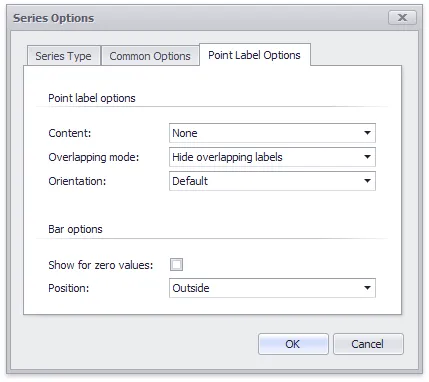
The Point Label Options tab of the Series Options dialog allows you to enable series point labels and manage their settings.
- Show point labels - Specifies whether or not to show point labels for the current series.
- Content - Specifies the type of content displayed within point labels.
- Overlapping mode - Specifies the label overlap mode.
- Orientation - Specifies the orientation of point labels.
Bar options
- Show for zero values - Specifies whether or not to show labels for points with zero values.
- Position - Specifies the position of point labels relative to bars.