Software Installation and Upgrading
AMICS Reports, a license-free application, is available for download from our public application server and is regularly updated with our latest releases and beta versions. It provides data visualization and reporting features to all users of AMICS data. However, it's important to note that any changes to the classification will require a licensed version of the AMICS Process.
AMICS Reports v0.1 Beta - Download
Installation Instructions
AMICS reports beta has no installer. Within the downloaded folder is an executable that can be used to start the program.
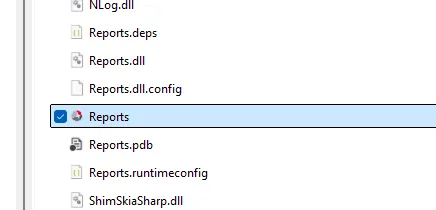
AMICS Reports is a standalone installation that can be installed using the following method:
- Download the installer
- Unzip the installer
- Open the extracted folder and move the "reports" folder to C:\Program Files
- Make a shortcut
- Right click on the program (it has a red and grey icon and will be at the bottom of the folder)
- Select "Show More Option"
- Select "create shortcut" a new shortcut is now at the bottom of the list int he folder
Add to desktop by right-clicking the shortcut and selecting "Pin to Start"
The beta version of this software in unsigned. The use will have to click "Run anyway"