Select Fields and Configure Axis
Bind Data to Elements
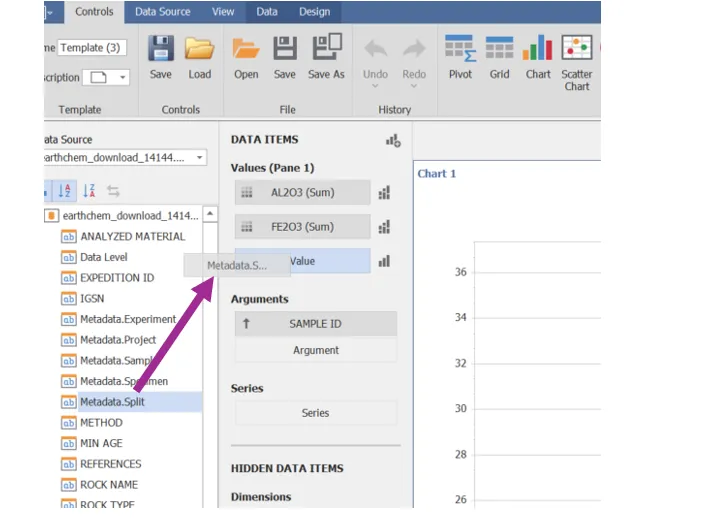
Click and drag the Fields from the Data Source to the desired area on the configuration.
Section | Description |
|---|---|
Values | Contains data items against which the Y-coordinates of data points are calculated. The Options button next to the Value data item allows you to select the series type and specify different options. Note that some types of series accept several measures. To learn more, see the documentation for the required series type. |
Arguments | Contains data items that provide values displayed along the X-axis of the chart. |
Series | Contains data items whose values are used to create chart series. |
Axis Settings
Transpose Data
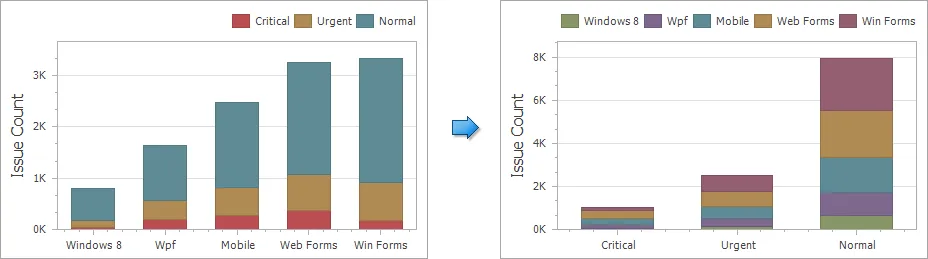
The Chart dashboard item provides the capability to transpose chart arguments and series. In this case, data items contained in the Arguments section are moved to the Series section, and vice versa.
To transpose the selected Chart dashboard item, use the Transpose button in the Item section of the Controls ribbon tab.
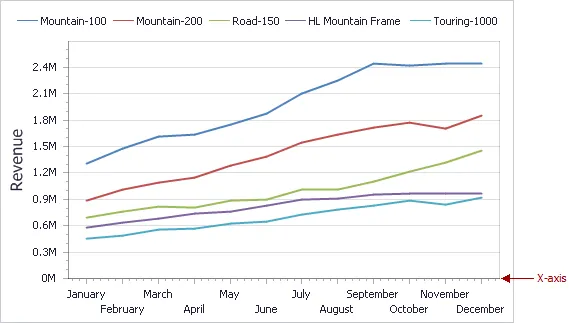
X Axis
The X-axis is the axis of arguments.
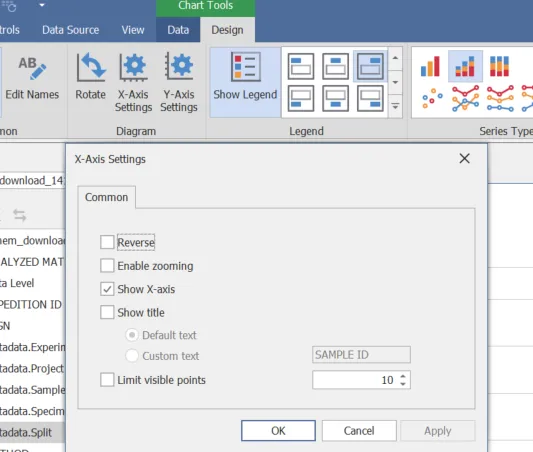
Common X Axis Settings
Setting | Description |
|---|---|
Reverse | Allows you to reverse the X-axis. If the X-axis is reversed, its values are ordered from right to left. |
Show X-axis | Allows you to hide and show the X-axis. |
Show title | Allows you to hide and show the X-axis title. You can choose whether to use the default text or specify a custom string. |
Enable zooming | Allows you to enable zooming for the X-axis. The X-axis' scroll bar provides the capability to perform navigation in the zoomed diagram. |
Limit visible points | Allows you to limit the number of points displayed on the chart's diagram along the X-axis. The X-axis' scroll bar provides the capability to perform navigation if the number of all points exceeds the number of visible points. |
Numeric X Axis Settings
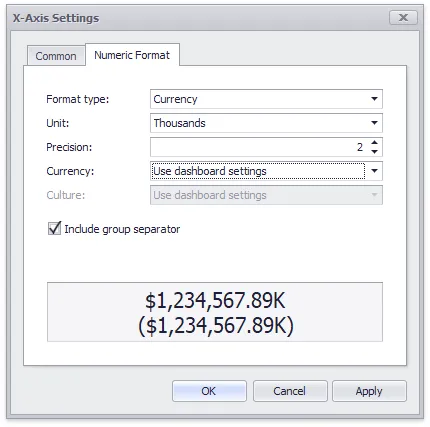
The tab contains the following settings.
- Format type - Specifies format types for numeric values.
- Unit - Specifies the unit to convert the numeric values.
- Precision - Specifies the number of fractional digits to display.
- Currency - Specifies the currency symbol and format provided by the current culture settings.
- Culture - Specifies the name of a culture that defines the currency symbol and format.
- Include group separator - Specifies whether separators should be inserted between digit groups.
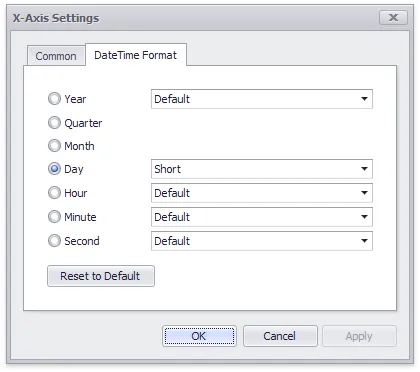
Date Time Settings
For date and time arguments, the X-Axis Settings dialog displays a Numeric Format tab. It allows you to specify the date and time display formats for X-Axis data.
Continuous and Discreet X-Axis
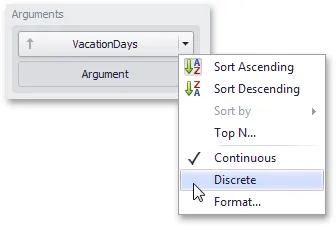
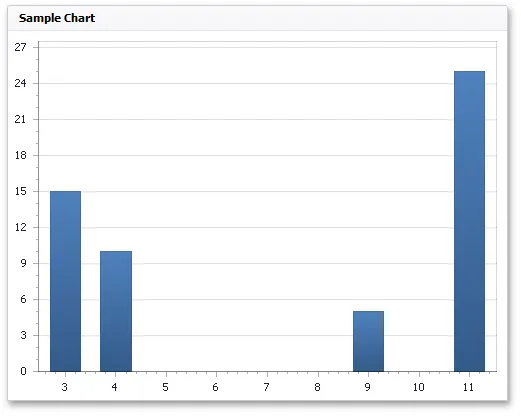
- Continuous X-axis: If a continuous axis is used, the distance between argument values is proportional to their values.
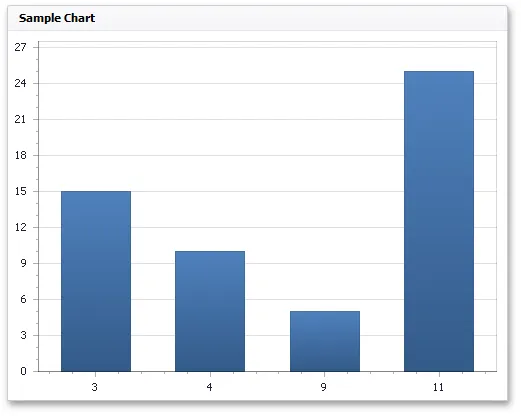
- Discreet X-Axis: On a discrete axis, all argument values are an equal distance from each other.
The Y Axis
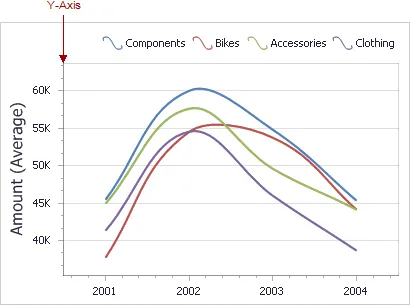
The Y-axis is the numerical axis of values.
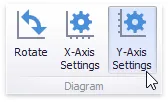
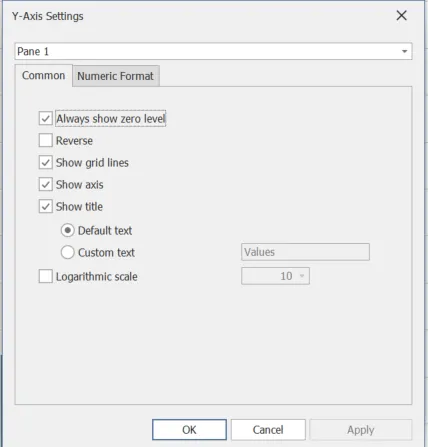
Common Y-Axis Settings
Setting | Description |
|---|---|
Always Show Zero Level | Specifies whether or not the axis' zero level is visible. If this option is unchecked, the visible axis range is defined based on the values plotted in the chart. |
Reverse | Allows you to reverse the Y-axis. If the Y-axis is reversed, its values are ordered from top to down. |
Show Y-axis | Allows you to hide and show the Y-axis. |
Show title | Allows you to hide and show the Y-axis title. You can choose whether to use the default text or specify a custom string. |
Show grid lines | Allows you to hide and show grid lines for the Y-axis. |
Logarithmic scale | Specifies whether the axis should display its numerical values using a logarithmic scale. The combo box next to this option allows you to select the logarithmic base from one of the predefined values. |
Y-Axis Numeric Settings
The tab contains the following settings.
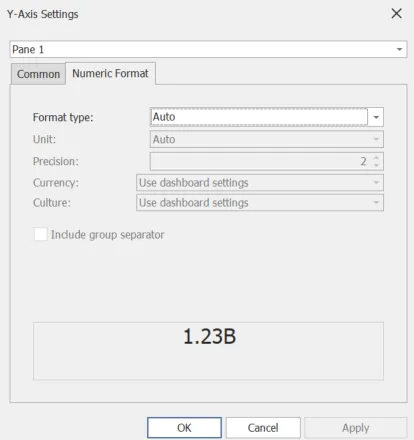
- Format type - Specifies format types for numeric values.
- Unit - Specifies the unit to convert the numeric values.
- Precision - Specifies the number of fractional digits to display.
- Currency - Specifies the currency symbol and format provided by the current culture settings.
- Culture - Specifies the name of a culture that defines the currency symbol and format.
- Include group separator - Specifies whether separators should be inserted between digit groups.
Rotate Chart
The chart can be rotated to accommodate vertical or depth -domain data.
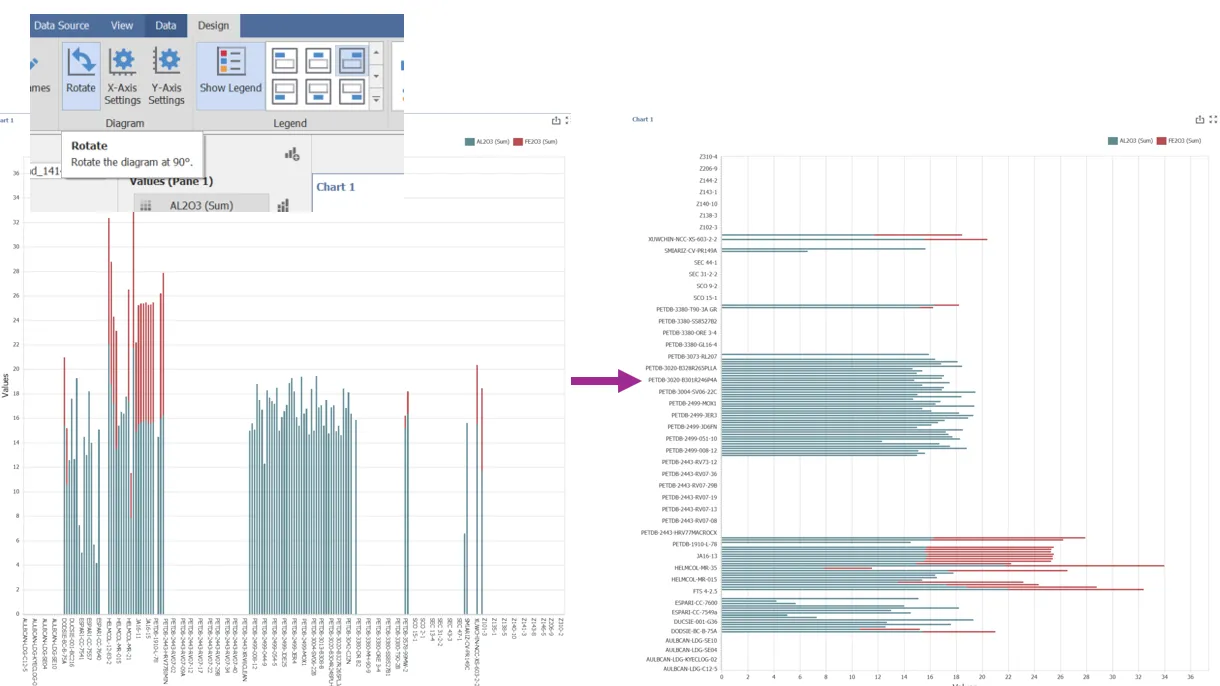
Change Labels
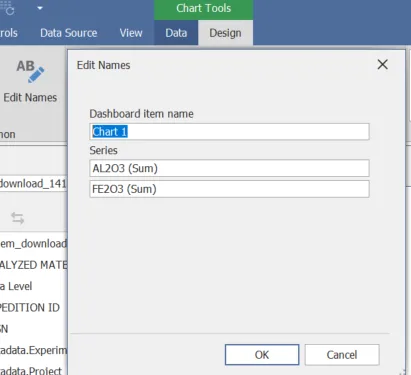
Select "Edit Names" from the Common section on the Design ribbon from the Chart Tools contact menu to edit a label.