Main Data Visualization Interface
The primary data visualization interface for the Data Model Panel displays the data loaded from the active selected data model.
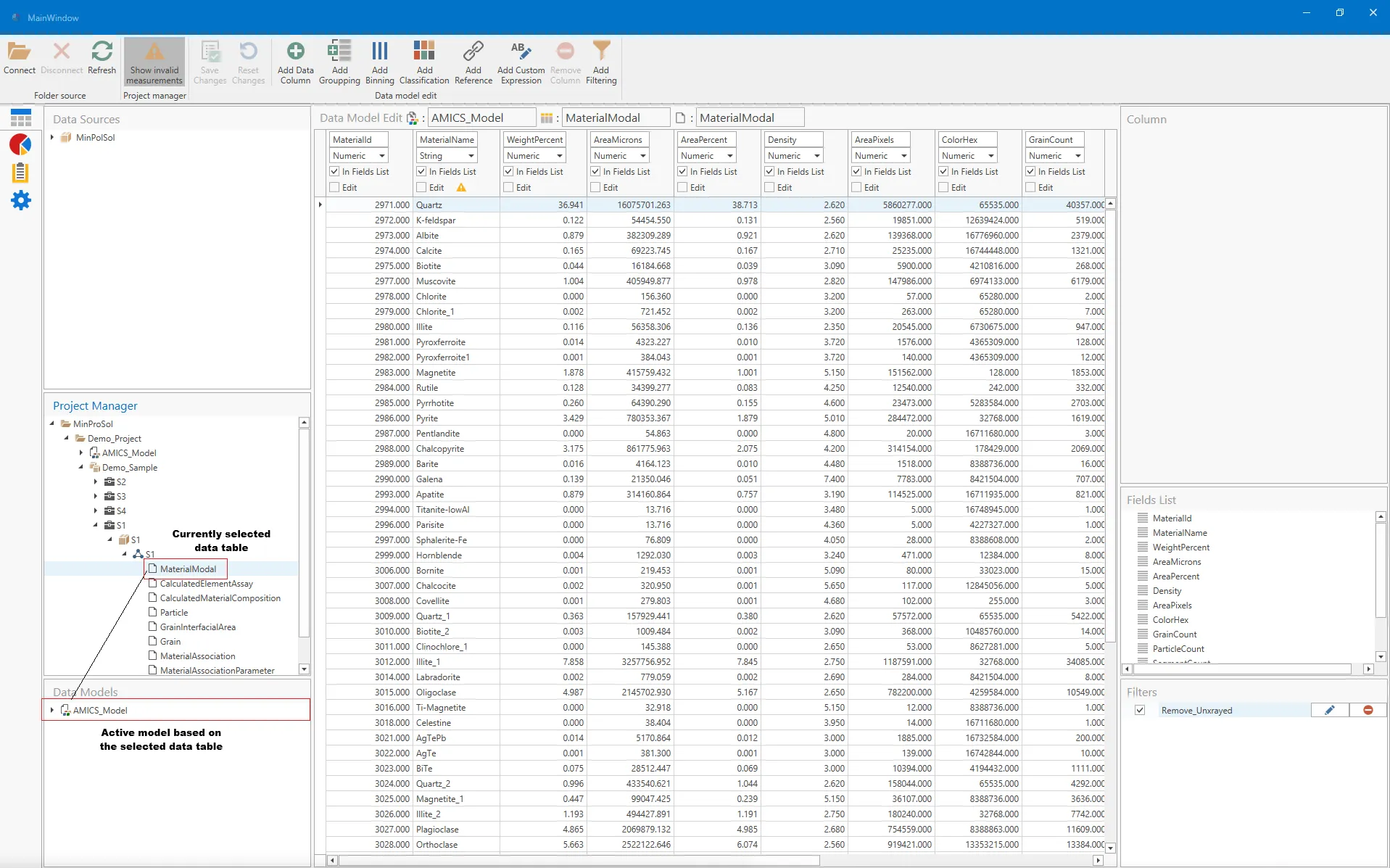
When double-clicking on any valid table in the Data Interface/Project Manager panel, the main data visualization panel will display all the imported data columns and updates. Once a valid table is selected, the Properties Interface Panel will update the Column, Field List, and Filters associated with it.
It should be noted that the imported data can not be changed in this interface, as it is only for visualization. Any required changes must be made in the AMICS Process, with the changes made in the Process exported to an updated JSON or Binary file. However, users can add new columns of data in the data model, including groups, bins, classifications, and Reference columns.