Data Interface Panel
3 min
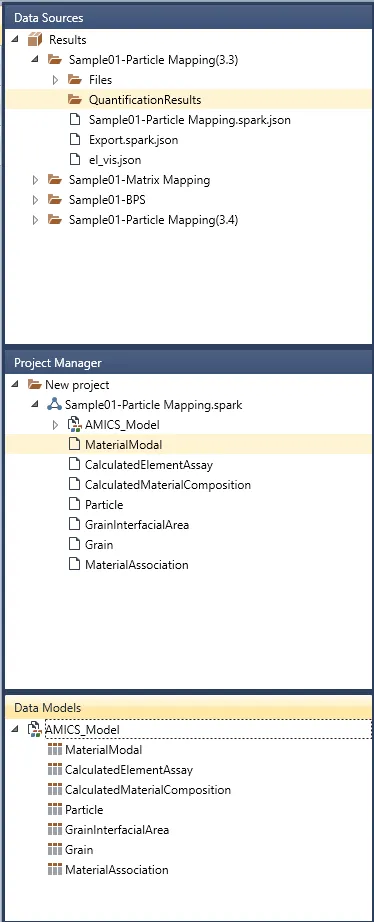
The Data Interface Panel is broken up into three different sub-panel, and the workflow in general for data ingestion runs from the top to the bottom. With the first step being connecting to a data in the "Data Source" panel. Then adding the data to a project structure in the "Project Manager" panel. Finally, there is a need to either link an exisiting or creating a new data model in the "Data Models" panel.
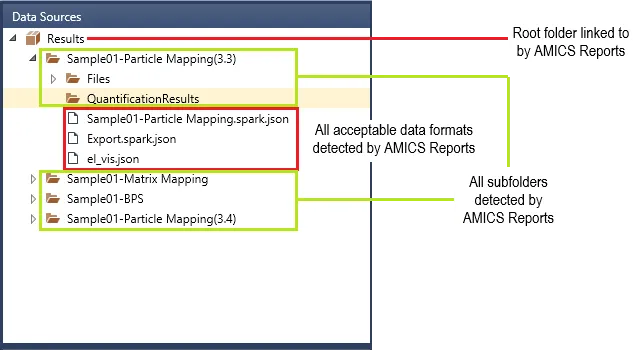
Data Source Subpanel
Project Manager Subpanel
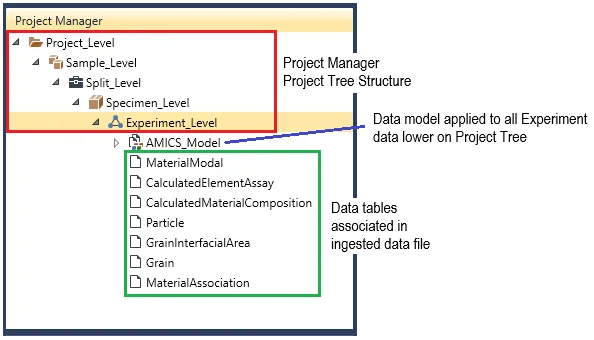
Detailed Example of the Project Manager Subpanel.
Data Model Subpanel
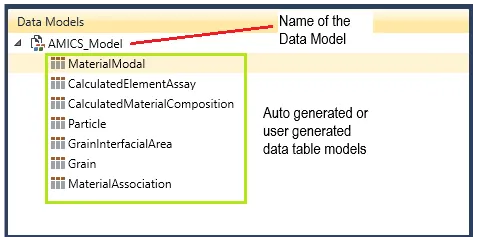
Detailed Example of the Data Model Subpanel.