Material Association Tables
Introduction
This report element is a predefined table that shows the relative contact surface area percent of any two materials defined in the dataset. The table will contain material names in both the x and y axes, with the data being read from left to right, and not from top to bottom.
Usage
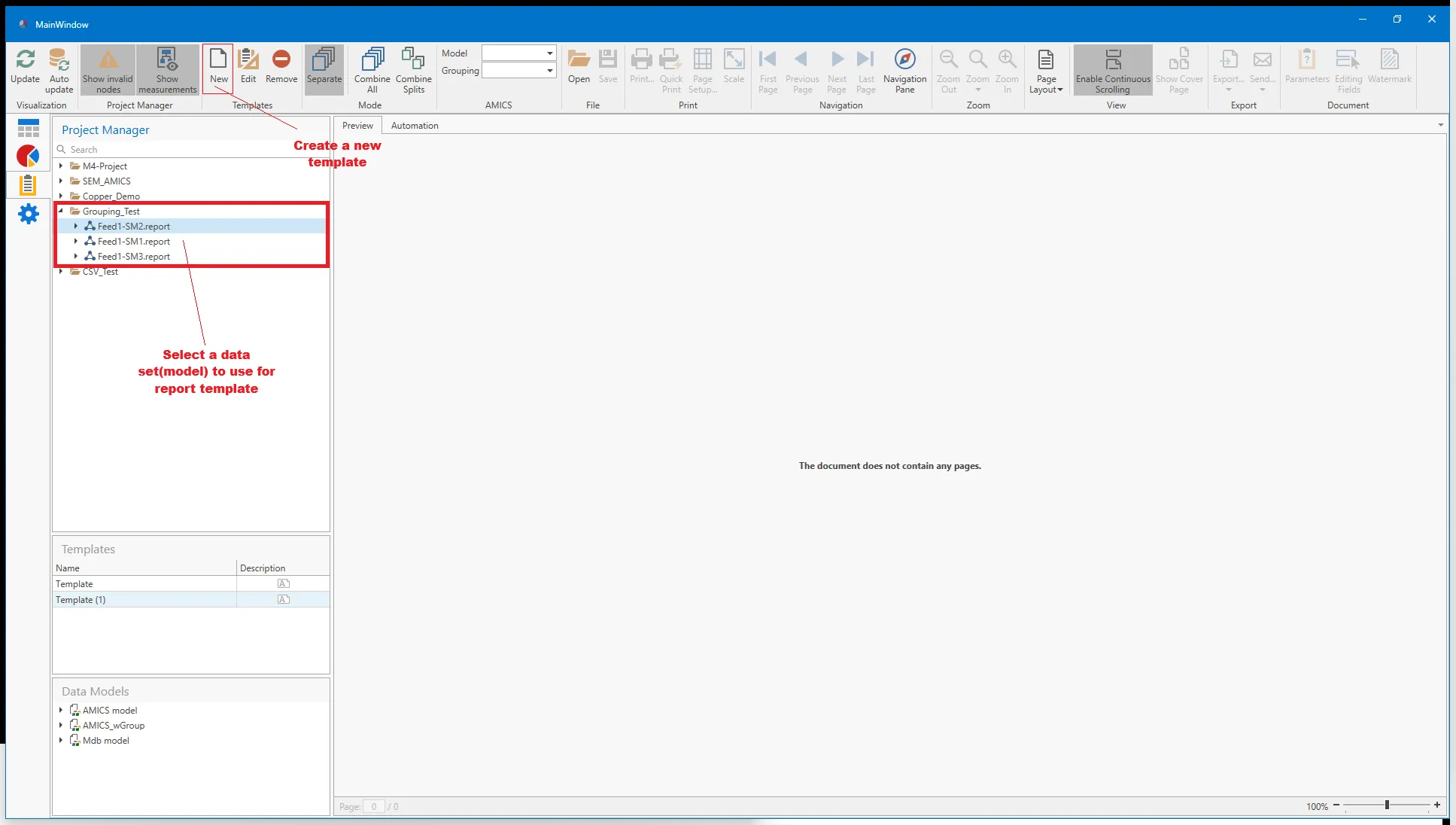
To build a Material Association table into the Report Template, ensure that a data set is selected first, as this is a requirement for the Report Template. And note the data model from this data set will be used for the Template and so ensure the correct data model can be used. Then click the "New" button on the top ribbon to create a new template.
If a template is already available, it can also be edited by using the "Edit" button; however, ensure that the existing template uses the correct data model for the new Association table.
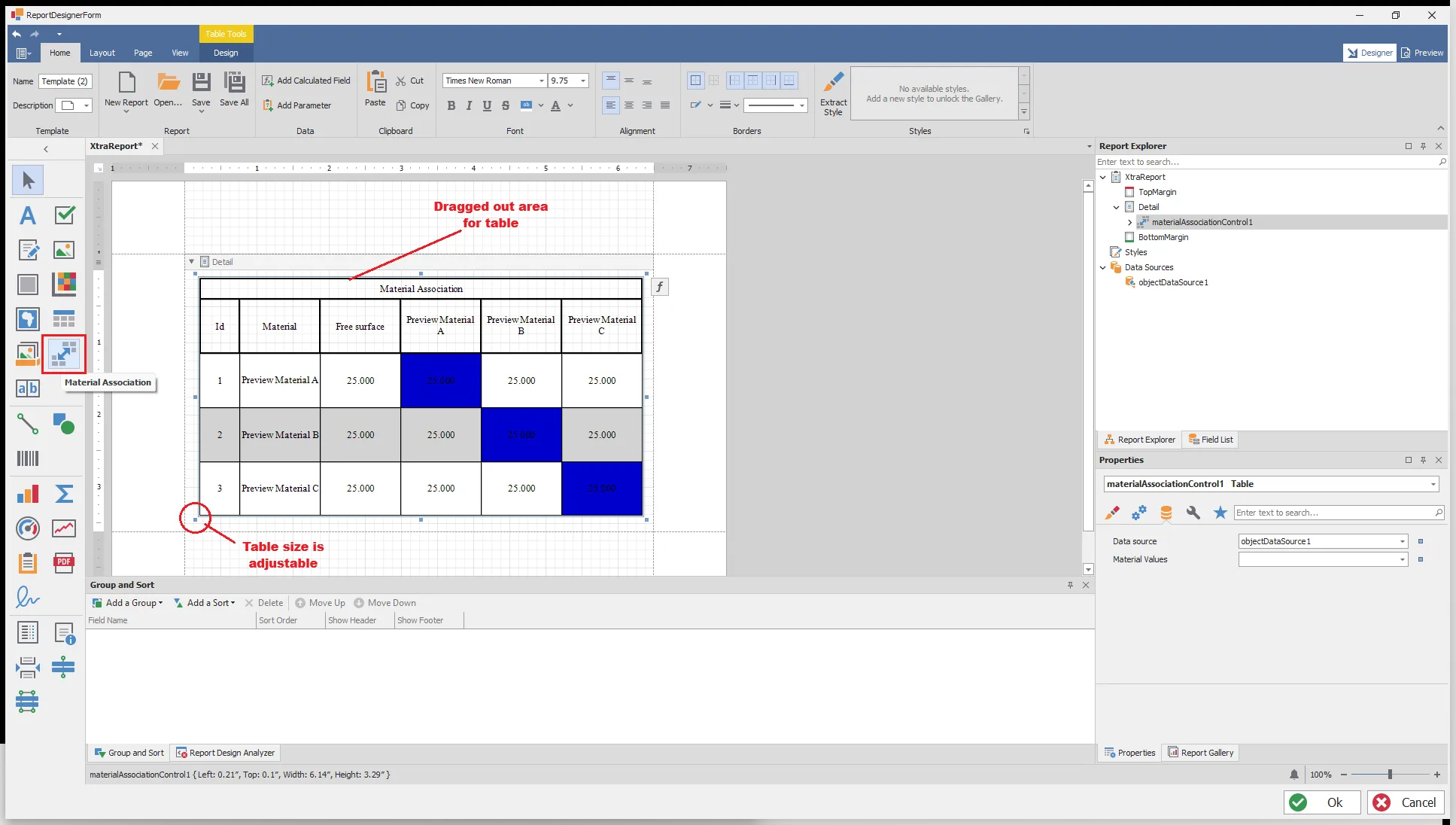
This will bring up the Report Template designer tool, with the option to add a Material Association table to the template. By clicking on this option, and then selecting an area on the report template (click and drag to describe an area). The area of the table is adjustable using the pips in each corner as well as centered around the table boundary.
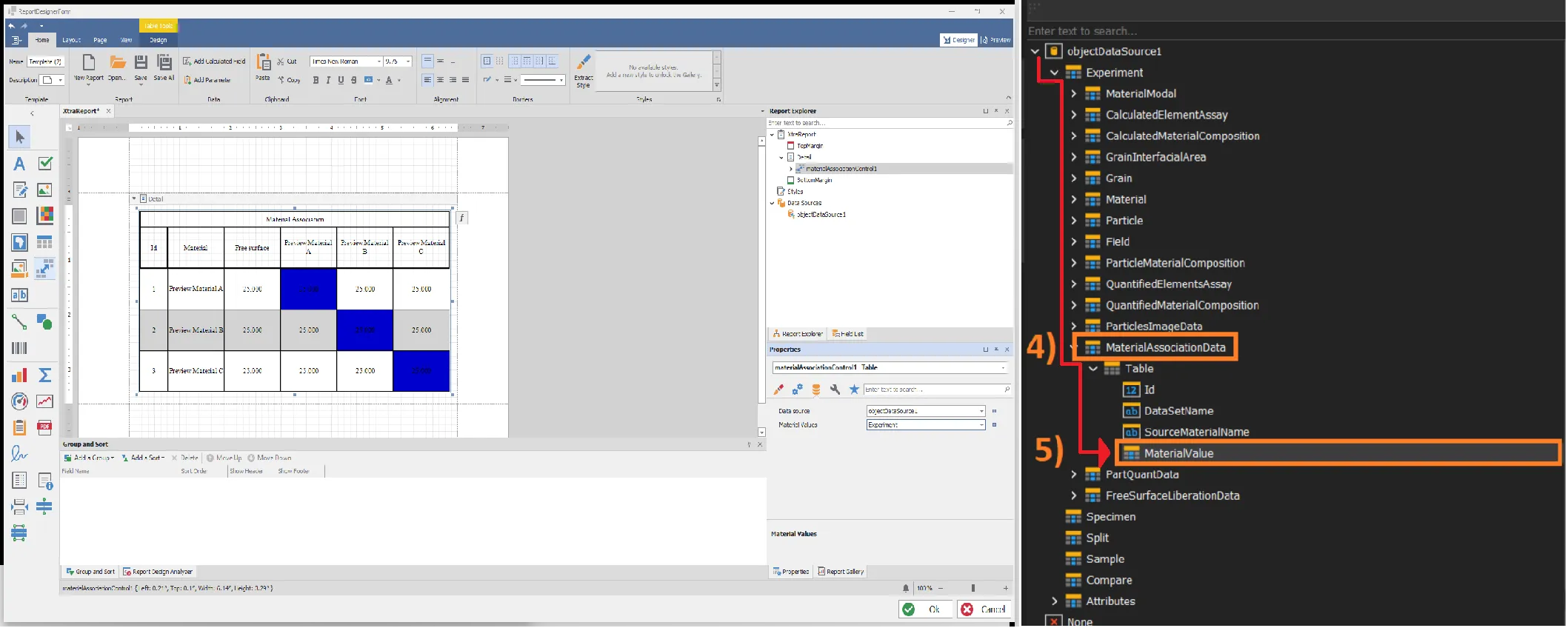
To correctly populate the table with Material Association data, click on the table to activate it. This will bring up the Properties of the association table in the right-hand panel. From this panel, change the Material Value drop-down menu, select the Experiment option, and follow the ">" tree to the Mineral Association data.