Drill Down
1 min
Dashboard provides the Drill-Down feature, which allows you to change the detail level of data displayed in a dashboard item. The Drill-Down feature enables users to drill down to display detail data, or drill up to view more general information.
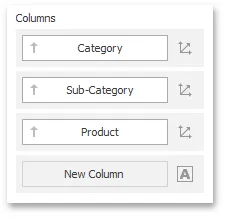
Drill-down requires that the data section contains several dimensions...
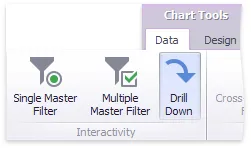
To enable drill-down, click the Drill-Down button in the Data Ribbon tab
The following dashboard items support the Drill-Down feature.
- Chart
- Scatter Chart
- Grid
- Pies
- Cards
- Gauges
- Treemap